
Skip to content
Liberrex

Search

Enter a query to search published products, case studies, articles, resources, and industries.

Menu

Customer Experience

Orchestrate every customer visit from arrival to service.

Coordinate appointments, walk-ins, virtual queues, service routing and customer feedback while giving frontline teams and management real-time visibility across every location.

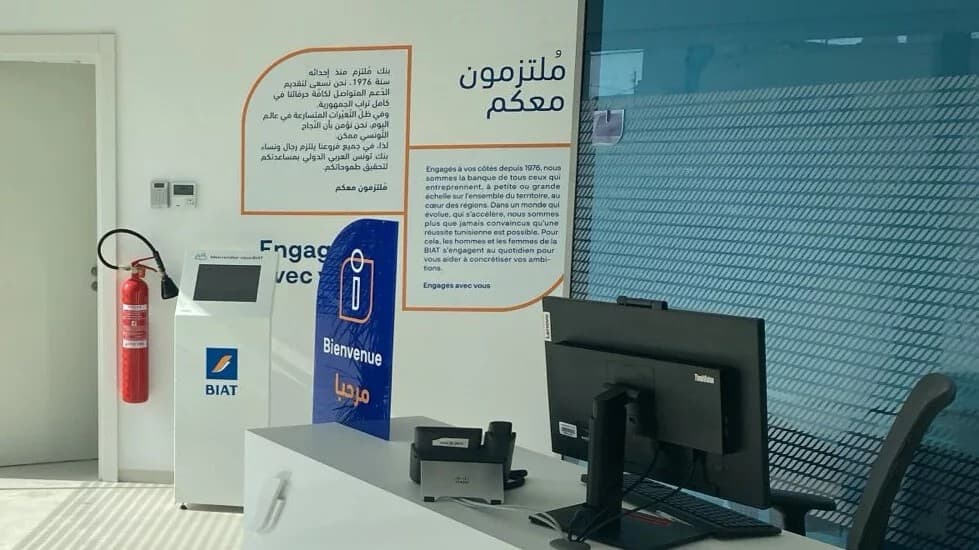
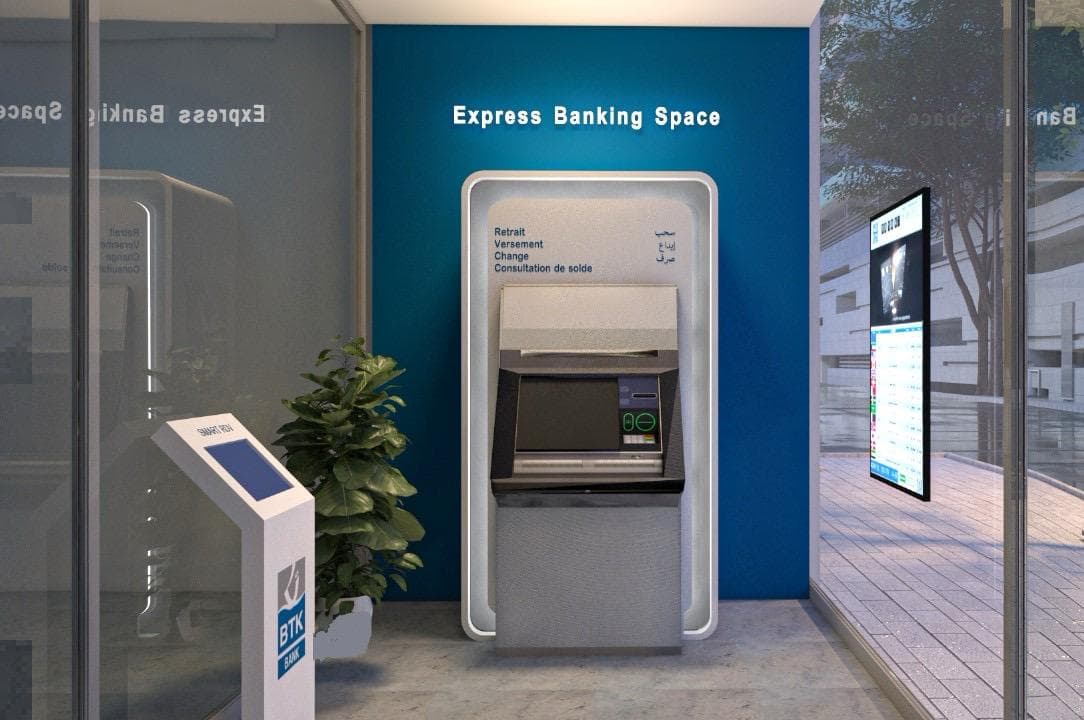
BTK Express Banking Space using Liberrex customer-flow technology.

Service flow

Turn unpredictable waiting into a managed service flow.

Liberrex coordinates demand, capacity and service priorities so customers move through the right journey while frontline teams retain operational control.

  1. 01

    Control demand

    Coordinate appointments, walk-ins and virtual arrivals across available service capacity.

  2. 02

    Route intelligently

    Direct customers according to requested service, priority, operating rules and available service points.

  3. 03

    Act in real time

    Give frontline teams and managers visibility into queues, delays and service activity as they happen.

Customer journey

Manage the visit from before arrival to after service.

Queue management is only one part of the customer journey. Liberrex connects the moments before, during and after the visit.

  1. 01

    Before arrival

    Appointment booking, service selection and virtual entry where applicable.

  2. 02

    Arrival

    Check-in through kiosk, staff interface or supported digital touchpoint.

  3. 03

    Waiting

    The customer enters the appropriate physical or virtual queue and receives service information.

  4. 04

    Service

    The customer is routed to the appropriate counter, desk, advisor or service point.

  5. 05

    After service

    Feedback and operational data become available for follow-up and performance analysis.

Journey orchestration

More than a queue. An operating engine for every visit.

Liberrex combines customer context, service requirements, queue conditions and operating rules to determine how each visit should move through the service environment.

  • Service routing

    Route customers by requested service and available service points.

  • Priority rules

    Apply configurable priorities where the operating model requires them.

  • Appointment and walk-in coordination

    Run scheduled customers and walk-ins in the same service environment.

  • Multi-step visits

    Support visits that need more than one service point when configured.

  • Transfers

    Move customers between queues or service points while keeping context.

  • Real-time intervention

    Let authorized teams respond as queue conditions change.

Role experience

One service flow. Different views for each role.

  • Customer

    • Book or join the service flow
    • Check in at a supported touchpoint
    • Understand waiting status
    • Receive service information
    • Provide feedback after service
  • Frontline employee

    • See assigned and waiting customers
    • Understand service context
    • Call or manage the next customer
    • Transfer when the visit requires it
    • Complete the interaction
  • Manager

    • Monitor queues and activity
    • See service conditions across sites
    • Identify delays or operational differences
    • Review service performance
    • Manage configuration according to permissions

Touchpoints

A consistent experience across every touchpoint.

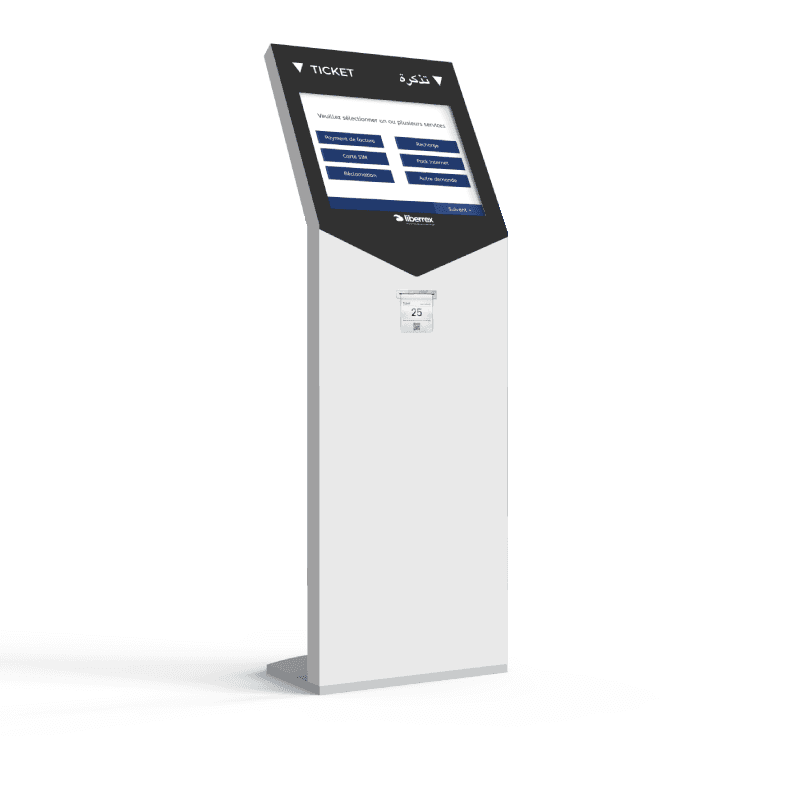
  • Kiosk

    Enable self-service check-in, service selection and queue entry where deployed.

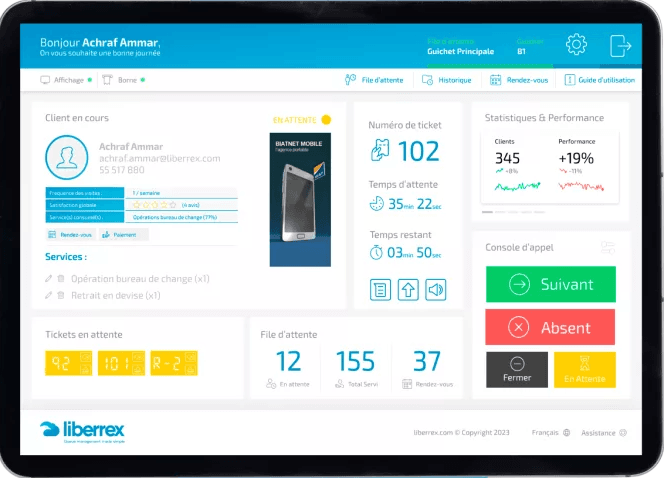
  • Agent interface

    Give frontline teams a simple interface to call, serve, transfer and complete interactions.

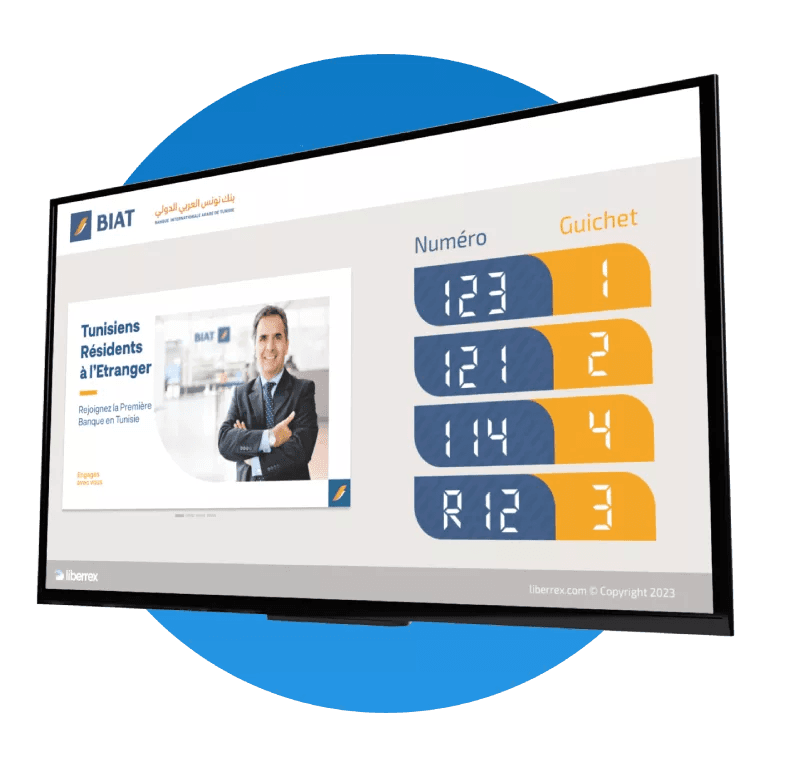
  • Digital display

    Communicate queue and service information clearly within the service environment.

  • Web & mobile

    Support appointment, virtual queue or digital-entry experiences where enabled.

Liberrex kiosk used to select a service and issue a ticket.
Liberrex customer display showing ticket numbers and service counters.

Network operations

Operate one location or the entire service network.

Liberrex gives organizations a consistent operating model across sites while preserving local visibility and operational context.

  • Sites

    Configure and monitor service locations across the network.

  • Services

    Define services, routing and queue logic according to the operating model.

  • Activity

    Monitor real-time and historical service activity.

  • Central management

    Manage configuration, access and visibility according to organizational roles.

Liberrex interface for managing and monitoring waiting queues.
Example Liberrex operational management interface.

Core capabilities

Everything needed to manage the service flow.

  • Linear and virtual queues

    Coordinate physical and virtual demand in one flow.

  • Appointment coordination

    Keep booked visits and walk-ins in the same environment.

  • Service routing

    Send each visit to the matching service point.

  • Customer prioritization

    Apply configured priorities when the model requires them.

  • Ticketing

    Give customers a clear place in the journey.

  • Counter and desk management

    Give agents the next customer and the actions to finish the visit.

  • Transfers

    Move a visit to the next queue or service point when needed.

  • Customer feedback

    Capture feedback after service when that module is deployed.

  • Service reporting

    Give managers a view of activity, waiting and performance.

  • Multi-site management

    Operate one location or the whole network.

Business case

Model the operational value with your own data.

Use your service volumes, waiting conditions, staffing assumptions and Liberrex investment to estimate operational and economic impact.

Model your business case
  • Recovered visits

    Model the value of completing visits that would otherwise leave the queue.

  • Staff time

    Estimate employee operational time recovered per visit, not customer waiting time.

  • Service capacity

    See how completed services and available time interact in a planning scenario.

Customer proof

See customer experience operating in real networks.

BTK branch deployment photograph

BTK Bank

How BTK improved the branch customer journey

BTK used Liberrex in a high-tech branch programme combining online appointments, floor and virtual queues, and post-visit feedback. The published story describes a more structured visit, without a Liberrex percentage lift to cite.

  • Queue Management
  • Appointments & Booking
  • Feedback
Read customer story
BIAT agency deployment photograph

BIAT

Appointments, queues and feedback at BIAT

BIAT deployed appointments, queues and feedback across a multi-agency programme in Tunisia. The published story describes calmer floor operations, without NPS or CSAT figures attached to Liberrex.

  • Appointments & Booking
  • Queue Management
  • Feedback
Read customer story

FAQ

Questions about Queue Management

What is Liberrex Queue Management?

It is the Customer Experience module that coordinates a customer visit from arrival to service. It organizes appointments and walk-ins, physical and virtual queues, service routing, available service points and handling, then makes waiting and activity visible to teams and managers. Ticketing, the agent interface and service reporting sit in the same flow. Kiosks, digital signage, virtual queue and feedback can be added when those modules are deployed.

How does Liberrex manage appointments and walk-ins together?

Appointments & Booking is a separate module that can run with Queue Management in the same visit. Scheduled customers and walk-ins share the service environment: check-in, waiting, routing and handling follow the rules configured for the location. Published BTK and BIAT stories use booking, queue and feedback together. Booking does not replace the floor queue.

Can Liberrex support multiple branches or service locations?

Yes. Liberrex can centralize monitoring of several branches or service points in one management environment while each location keeps its operating context. Scope is defined per deployment. It is built for distributed networks rather than a single waiting room.

Can customers join a queue virtually?

Yes, when Virtual Queue is deployed. Customers can take a remote ticket and receive notifications instead of remaining in the waiting area the entire time. Virtual waiting stays part of Queue Management, connected to the same floor flow, rather than a separate visitor product.

How does service routing work?

Customers are organized by the service flows configured for the location — by requested service, priority or journey, in physical or virtual queues. Liberrex then directs the visit to an available counter, desk, advisor or service point. Multi-step visits can move to the next relevant point when that operating model is configured.

Can Liberrex integrate with existing enterprise systems?

Liberrex is designed to connect with existing enterprise systems through APIs and integration mechanisms supported by each deployment. The method depends on the systems and interfaces available in the organization. Scope can start with the data needed to operate the first use case, then grow. See Data & Integrations for the platform approach.

Related Customer Experience

Extend the journey beyond the queue.

See how Customer Experience could work on your network.

Explore how Liberrex can coordinate customer arrivals, waiting, service and feedback across your service locations.

Cookie preferences