
AI & Agents · AI Agents
Create specialized AI agents around a business role.
Define the mission, the knowledge, the tools, the permissions and the escalation rule so a precise task or interaction can be handled inside clear limits.
Each business agent has a mission, approved sources, allowed tools and an escalation rule.
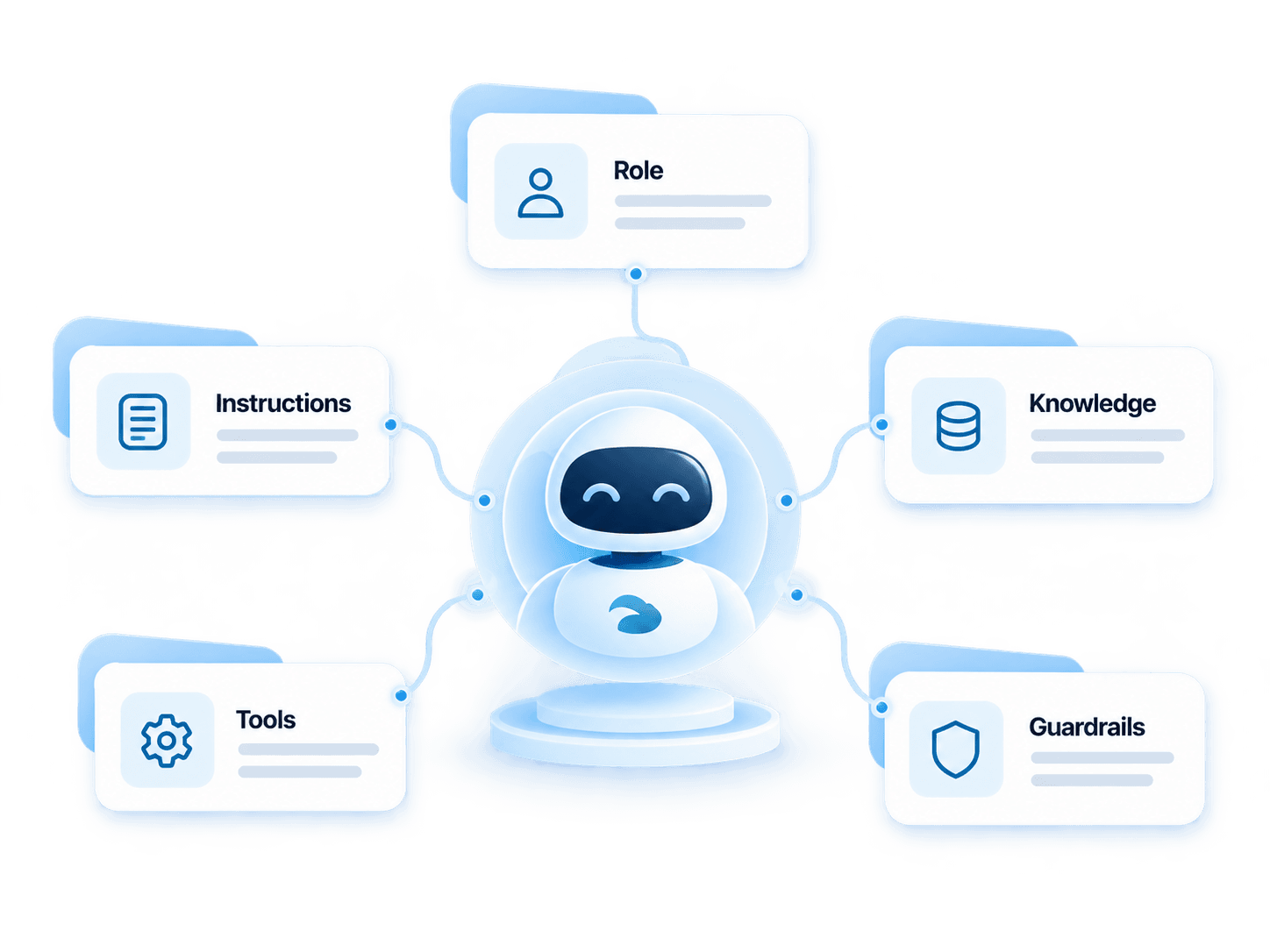
Agent model
A role, a mission, tools and limits.
- 01
Role
What the agent must accomplish, and within which scope.
- 02
Instructions
The rules for how it behaves and executes.
- 03
Knowledge
The approved sources it may consult.
- 04
Tools
The actions and integrations it may use.
- 05
Guardrails
The limits, permissions and escalation rules.
Setup
From the mission to the scenario.
Define
Set the role and the instructions.
Equip
Attach approved knowledge and tools.
Control
Set permissions and the escalation rule.
Deploy
Connect the agent to the intended scenario.
Jobs
Configure the agent for the work.
The name and the scope belong to the organization. These are jobs a business agent can carry.
Insurance assistance
Answer from approved knowledge and route the request.
Qualification
Collect the information needed before a handoff or a treatment.
Appointment
Identify the need and prepare booking when that scenario is configured.
Internal support
Help employees find a procedure or business information.
Knowledge
Ground each agent in the right knowledge.
Each agent consults the sources approved for its role: insurance procedures, product information, service FAQs or internal procedures.
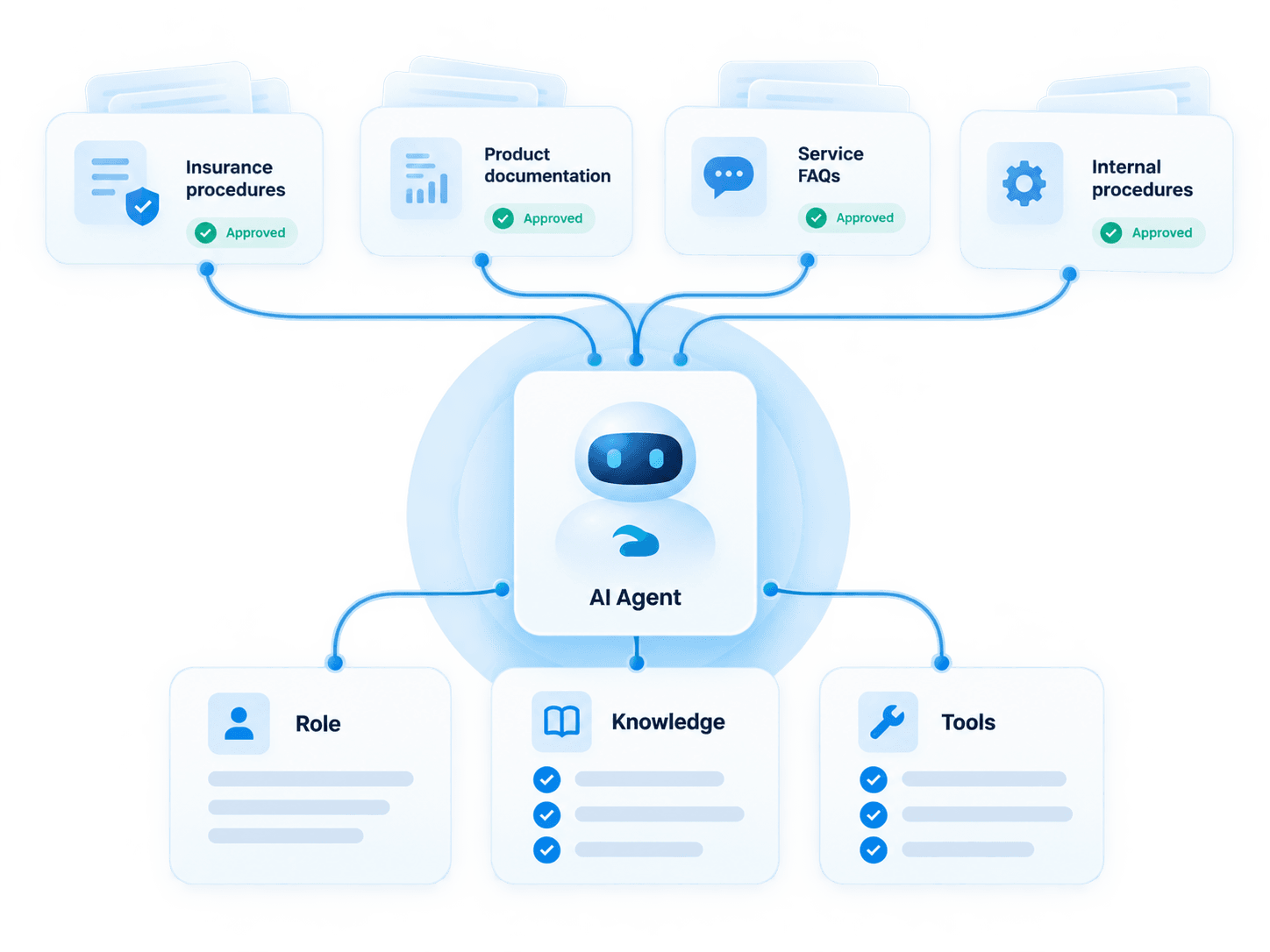
Role
The job this agent is allowed to perform.
Knowledge
The approved sources attached to that role.
Tools
The actions that role may execute.
Tools and control
Control what each agent can do.
A task arrives. The agent uses an allowed tool, within the intended data scope, then hands over when the escalation rule applies.
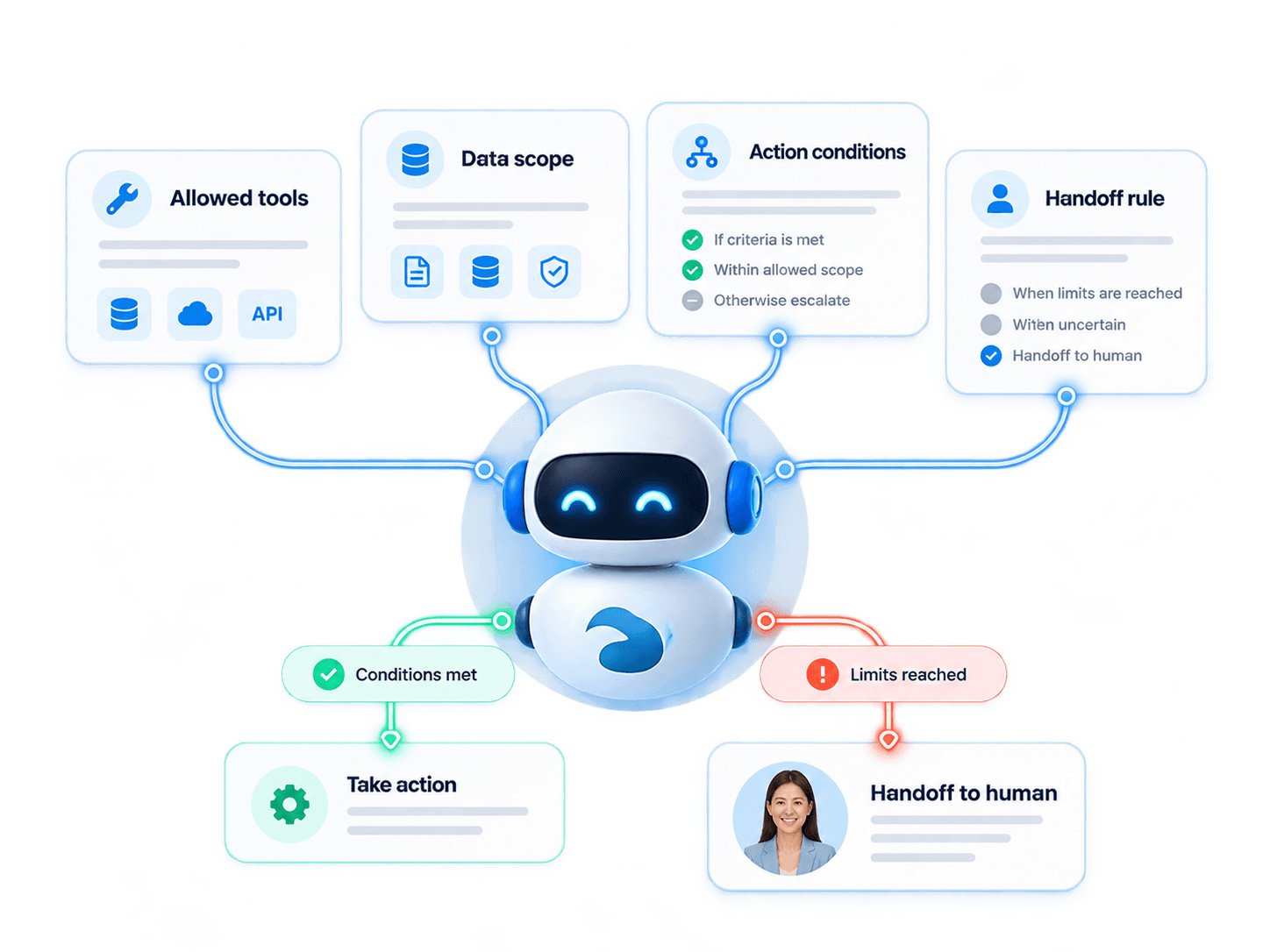
Allowed tools
The lookups and actions the agent may invoke.
Data scope
The operational context this role can access.
Action conditions
When the scenario permits an action.
Handoff rule
When responsibility returns to a person, with the context.
Impact
Specialized work, with rules that stay visible.
Automate specialized tasks
Give a defined job to an agent configured for it.
Standardize a treatment
The same role uses the same knowledge and the same tools.
Connect AI to existing processes
Actions stay the ones configured for the organization.
Keep usage rules
Limits and handoff are part of the agent, not an afterthought.
AI & Agents
Connected to the rest of AI & Agents
FAQ
Questions about AI Agents
What is a Liberrex AI agent?
It is a configured role with instructions, approved knowledge, allowed tools and a rule for handing work to a person.
How is an AI agent different from Conversational AI?
Conversational AI is the digital dialogue. An AI agent is the role that can hold that work, with its own knowledge, tools and limits. Voice is the telephone form of the same idea.
What is the difference between MOEZ and the Liberrex AI platform?
AI & Agents is the family: conversation, voice, agents, assistance and analysis. MOEZ is one agent configured inside that family, with its mission, knowledge and tools.
What can an agent know?
The approved content attached to its role, and the operational data that role is allowed to read.
Which tools can it use?
The tools configured for that role, such as a lookup or an action the scenario allows.
Can its actions be limited?
Yes. The role defines the tools, the data scope and when a person must take over.
Can an agent hand work to a human?
Yes. The handoff includes the reason and the context already established.
Can several specialized agents be created?
Yes. Each agent has its own role, sources and tools. Handoff to a person follows that agent’s rule.
See how Liberrex can create specialized agents for your processes.
Start from the role, the approved knowledge and the tools that role is allowed to use.