
Workforce ExperienceFrontline Execution
Turn priorities into concrete actions on the ground.
Break campaigns, commercial initiatives and operational priorities into tasks, missions and follow-up adapted to distributed teams.

The challenge
A central priority only has value if it is executed.
Networks already have operational tools. The need is to connect a priority to clear local work, followed through, without doing everything by hand.
Scattered instructions
Initiatives too often go out by email or messages, without shared follow-up.
Unclear ownership
It is not always clear who must act, at which location, by when.
Uneven execution
The same launch is done well in one location, and not in another.
Manual follow-up
Managers lack a simple view of what is done, pending or overdue.
Tasks & missions
Turn a priority into clear actions.
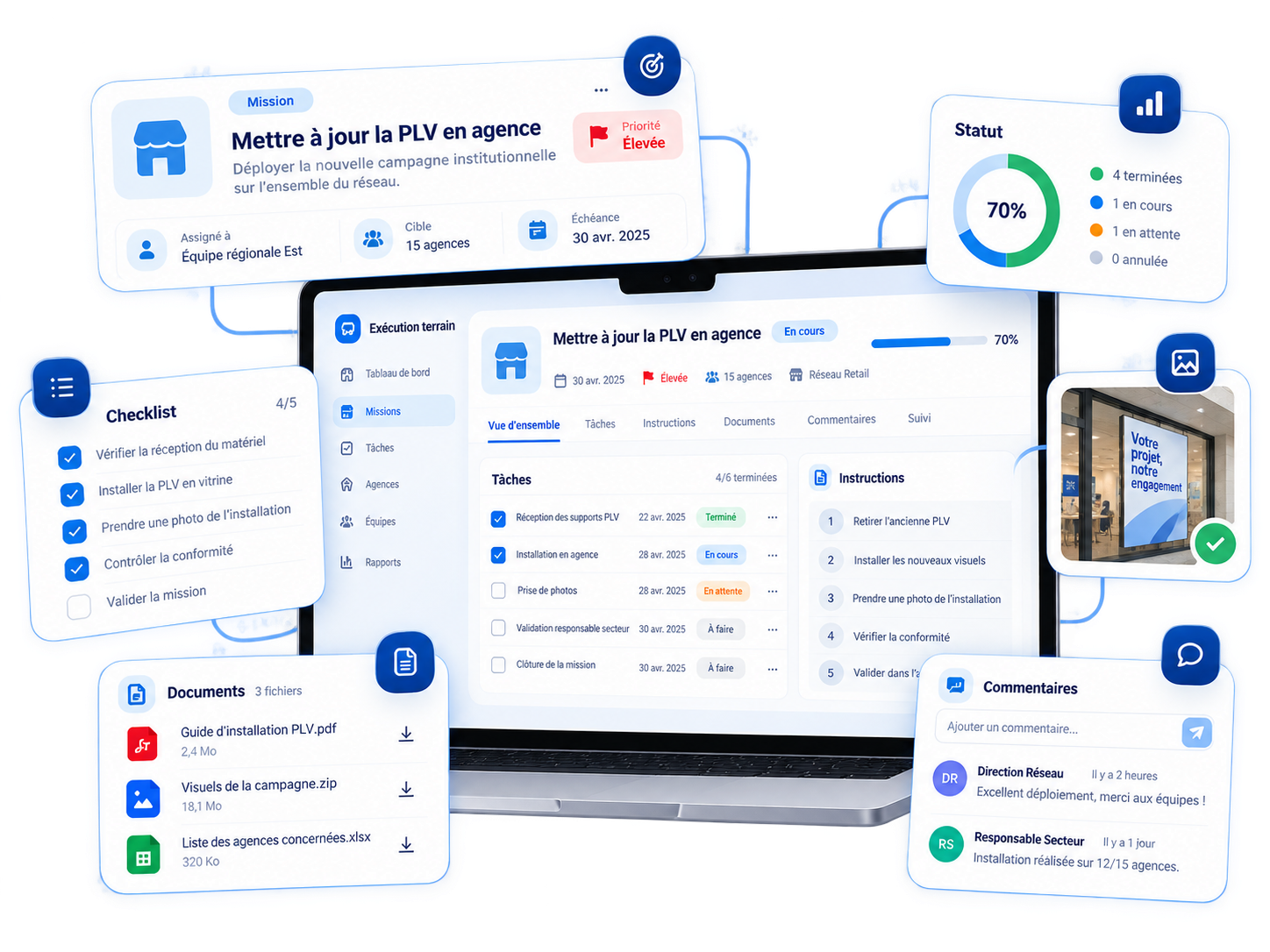
Tasks and missions can cover assignment, target role, deadline, status, priority, instructions, supporting content and comments. Detail follows the configured model.
Assignment
Who needs to act, and on which perimeter.
Deadline & priority
When the action needs to be done.
Status
Where execution stands.
Instructions & materials
The useful context to do it well.
Checklists
Standardise execution without freezing the field.
A checklist breaks a change into local steps. Examples remain configurable; Liberrex does not hard-code one scenario.
Product launch
The steps to activate an offer at the location.
Campaign launch
What each team must do during the period.
Operational change
A rule to apply locally.
Compliance action
A requirement to confirm within the deadline.
Campaign execution
Keep campaigns alive after launch.
Sales Performance & Engagement defines the campaign, objective or challenge. Frontline Execution turns them into concrete actions and tasks.
Sales Performance & Engagement
Defines the campaign, the objective, the challenge.
Frontline Execution
Turns the campaign into concrete actions and tasks.
Follow-up
Give managers a clear view of progress.
Managers can see what is done, pending, overdue or blocked — by team, location or initiative, on their perimeter.
Completed
The action has been done.
Pending
The work is still open.
Overdue
The deadline has passed.
Blocked
An obstacle is stopping progress.

Context
Keep the instruction and the context together.
A mission can carry the brief, documents, campaign content, an update and the discussion. That is more useful than separating the action from the communication. These communications do not replace an intranet or enterprise messaging.
- Brief
- Documents
- Campaign content
- Guidance
- Update
- Discussion
Business outcomes
Four effects on network execution.
Shorten the path from decision to action
Turn a priority into missions and tasks without rebuilding everything by hand.
Clarify ownership
Know who must act, on which perimeter, by when.
Standardise execution
Give locations the same useful steps, without freezing the field.
Improve manager visibility
See progress and reduce manual follow-up.
Questions
Questions about Frontline Execution
What is Liberrex Frontline Execution?
Frontline Execution is the Workforce Experience pillar that turns priorities into local actions — tasks, missions, checklists and follow-up. It answers what needs to be done, here, now. It is distinct from Sales Performance & Engagement, which defines what to achieve, and from Sales Enablement, which gives the knowledge to sell. It is not a generic project-management tool.
How is it different from Sales Performance & Engagement?
Sales Performance & Engagement covers objectives, campaigns, challenges and performance visibility. Frontline Execution carries the local work that follows: tasks, missions, checklists and follow-up. A campaign can translate into local missions, but campaign design and performance steering stay in Sales Performance & Engagement. The two pages do not say the same thing.
What types of tasks or missions can be created?
Depending on the configured model, a mission can carry assignment, target role, deadline, status, priority, instructions, supporting content and comments. It can support a product launch, campaign, operational change, compliance action or onboarding. Liberrex does not hard-code one scenario and is not a generic project-management tool. The fields actually used follow the organization.
Can a mission be targeted by role or perimeter?
Yes. A task or mission can be assigned to a role, a team or a perimeter — a location, a group of locations, or the population concerned by an initiative. What a person sees follows the perimeter they are responsible for. Exact targeting is configured by organization, rather than copied from a single org chart.
How do managers follow progress?
Managers can see what is completed, pending, overdue or blocked, on their perimeter — by team, location or initiative. They can comment and follow up. Head office sees progress according to the model defined. This page describes execution follow-up, not a replacement for core reporting systems. What a person sees still follows the perimeter they own.
Can checklists be added?
Yes. A checklist breaks a change into local steps — product launch, campaign activation, operational change, compliance action or onboarding. It standardises execution without freezing the field. Examples remain configurable. The exact steps are defined by the organization, according to the model actually put in place. The checklist stays attached to the mission.
Does Liberrex replace a project-management tool?
No. Frontline Execution carries the local actions tied to the network’s commercial and operational priorities. It is not meant to replace a generic project-management tool, an intranet or messaging. Campaign design stays in Sales Performance & Engagement. CRM and core systems remain the system of record. The product answers what needs to be done on the ground, not how to run every project.
See how Liberrex can turn your priorities into field action.
Connect campaigns, missions and follow-up for head office, managers and every local team.